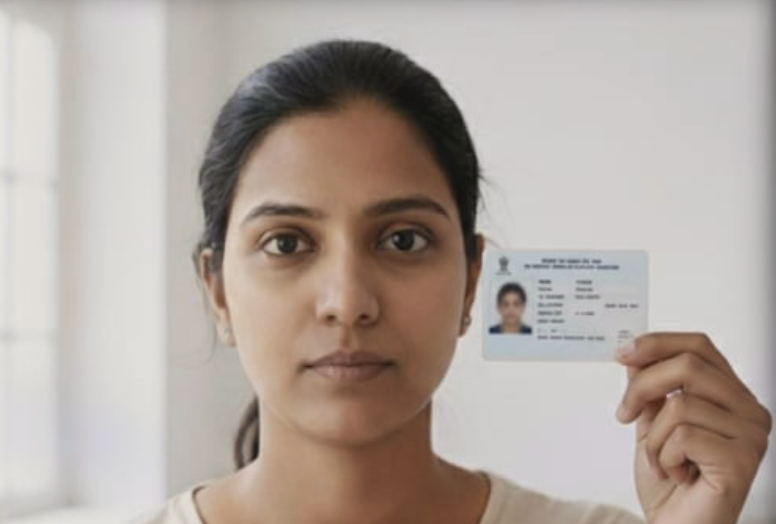
Selfie Rejected: Here's How to Get Approved
For your face verification to be successful, it’s important that your face is fully visible in the photo. Your selfie may have been rejected for a few common reasons:
- Poor Photo Quality: The image is blurry, too dark, or otherwise unclear.
- Face Mismatch: The selfie does not match the photo on your ID.
- Unclear ID Photo: The photo on your identity document is not clear enough for a proper comparison.
- Invalid Submission: We do not accept photos of a screen or a screenshot.
Tips for a Successful Photo
Section titled “Tips for a Successful Photo”To ensure your photo is accepted, follow these tips:
- Focus: Make sure the camera is focused on your face.
- Lighting: Take the picture in a well-lit area to avoid dark, low-quality images.
- Distance: Position yourself close enough so your face is clearly visible and in full size.
- Accessories: Avoid wearing glasses or hats, or scarves unless they are also visible in your ID photo.

When you’re required to take a new selfie while holding your ID
Section titled “When you’re required to take a new selfie while holding your ID”Please ensure:
- Use the Same ID: Make sure you are holding the exact same identity document you originally submitted.
- Keep Your Face Clear: Hold the ID so it does not cover any part of your face.
- Check Orientation: Your phone’s camera might have a mirror function. Double-check that the text on the ID is not flipped or backwards in the final picture.